If your monitor’s built-in speakers sound thin, the quickest upgrade is either a compact soundbar that sits under the screen or a pair of small near-field speakers beside it. For most desktops the Razer Leviathan V2 X and Creative Sound Blaster GS3 are the best compact bars, the Dell SB521A is the tidy choice for compatible Dell monitors, and the Edifier MR4 is the better pick when sound quality matters more than space. This guide compares six current options and gives the measurements that decide whether a bar will fit under your monitor.
As an Amazon Associate we earn from qualifying purchases at no extra cost to you.


Our Top Picks

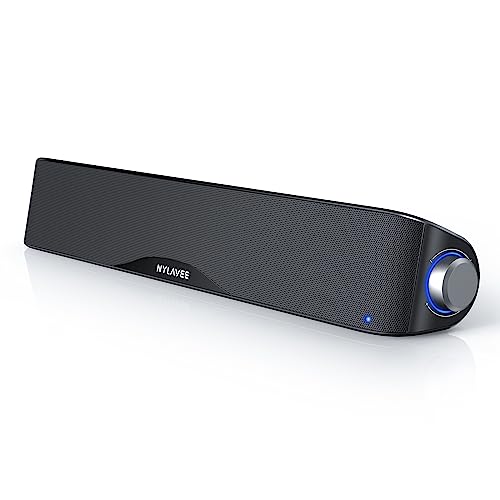
Top 3 picks at a glance
Bar or speakers: which type fits your desk?
The two options solve different problems. A bar saves desk space and keeps the sound centered below the screen. A pair of speakers gives true stereo separation and usually better sound for music, but needs width on either side of the monitor.
| Factor | Under-monitor soundbar | Near-field speaker pair |
|---|---|---|
| Desk width used | Zero beyond the monitor | 15 to 25 cm each side |
| Stereo image | Narrow unless the bar uses processing | Wide and precise |
| Bass | Limited, unless a separate sub is included | Depends on cabinet, better with 4-inch woofers |
| Monitor height needed | A gap of 7 to 12 cm under the screen | No gap needed |
| Cabling | One USB or 3.5 mm cable | Power cable plus speaker cable |
| Best for | Gaming, video, small desks | Music, editing, larger desks |
Quick comparison of six picks
| Pick | Type | Key specs | Connection | Price tier |
|---|---|---|---|---|
| Razer Leviathan V2 X | Compact USB soundbar | Stereo bar with USB-C and Bluetooth, RGB lighting | USB-C, Bluetooth | Entry to mid |
| Creative Sound Blaster GS3 | Compact soundbar | Small bar, up to 24 W peak per the manufacturer | USB-C, 3.5 mm, Bluetooth | Budget |
| Dell SB521A | Clip-on bar for Dell monitors | Attaches under compatible Dell monitors, powered from the monitor | USB, power from monitor | Entry |
| Edifier MR4 | Near-field monitor speakers | 4-inch woofers, 1-inch silk tweeters, 42 W RMS | XLR, TRS, RCA, 3.5 mm | Mid |
| JBL Quantum Duo | Gaming desk speakers | 2.0 gaming pair, RGB, manufacturer-rated | USB, 3.5 mm, Bluetooth | Mid |
| Edifier G2000 | Compact gaming speakers | About 36 W RMS, 2.0 | USB, 3.5 mm, Bluetooth | Entry |
Razer Leviathan V2 X: best compact soundbar for most monitors
Spec line: compact stereo bar, USB-C with Bluetooth, RGB lighting, software control through Razer Synapse.
Best for: gaming desks with a single USB-C connection and a stand that leaves room under the screen.
Skip if: you want a subwoofer or a wide soundstage. The bigger Leviathan V2 adds a sub and THX Spatial Audio processing.
- Pro: one cable carries power and audio from the PC.
- Pro: compact enough to slide under most 24 to 32-inch monitors.
- Pro: Bluetooth lets you use it with a phone.
- Con: no subwoofer, so bass is light.
- Con: RGB and software are optional extras you might not want.
Creative Sound Blaster GS3: best low-cost bar
Spec line: compact bar with a stated peak output of 24 W, USB-C, 3.5 mm and Bluetooth connectivity.
Best for: tighter budgets, office desks and dorm rooms.
Skip if: you play loud or want deep bass.
- Pro: low price for a bar with multiple inputs.
- Pro: simple setup and compact cabinet.
- Pro: a front-facing design that works under a monitor.
- Con: peak ratings are not RMS, so real loudness is modest.
- Con: little bass.
Dell SB521A: neatest for compatible Dell monitors
Spec line: a clip-on stereo soundbar designed to attach under certain Dell monitors and draw power from them.
Best for: office desks with a matching Dell display, where cable clutter and extra power bricks are unwelcome.
Skip if: your monitor is not on Dell’s compatibility list. It mounts to specific bezel designs.
- Pro: no extra power supply.
- Pro: integrated look and fixed mounting.
- Pro: low cost.
- Con: works only with compatible Dell monitors.
- Con: modest volume and bass.
Edifier MR4: best near-field monitor speakers on a desk
Spec line: powered 2.0 near-field monitors, 4-inch woofers, 1-inch silk-dome tweeters, 42 W RMS, balanced and unbalanced inputs, high-frequency and low-frequency switches.
Best for: creators and music fans who sit at a desk and want accurate sound at a mid-tier cost.
Skip if: your desk is crowded or too shallow for 4-inch cabinets.
- Pro: flat, honest tuning and a wide range of inputs, including balanced.
- Pro: tone switches adapt to the desk and room.
- Pro: better bass than most bars.
- Con: cabinets are larger than gaming speakers.
- Con: no Bluetooth on this model.
JBL Quantum Duo: gaming desk speakers with attitude
Spec line: 2.0 gaming speakers with RGB lighting, USB and 3.5 mm inputs and Bluetooth per the manufacturer’s listing, compact enough for the sides of a monitor.
Best for: gaming desks where matching lighting and a modest footprint matter.
Skip if: you prefer a flat sound for music editing.
- Pro: gaming-friendly features and a small footprint.
- Pro: JBL’s tuning is lively and clear.
- Pro: flexible connectivity.
- Con: lighting and gaming styling may not suit an office.
- Con: limited bass.
Edifier G2000: compact gaming pair
Spec line: 2.0 gaming speakers, about 36 W RMS, USB, 3.5 mm and Bluetooth, LED lighting.
Best for: small gaming desks that need a low-latency USB link and a phone-friendly Bluetooth option.
Skip if: you need a hi-fi sound or a subwoofer output.
- Pro: compact and powerful for the size.
- Pro: easy USB connectivity.
- Pro: Bluetooth as a secondary input.
- Con: tuning prioritizes impact over accuracy.
- Con: lighting is not for everyone.
Will a soundbar fit under your monitor? The measurements
Soundbar fit is mostly geometry. Check these four numbers before buying.
| Monitor size | Approximate width | Typical stand gap under screen | Max bar width to stay inside the stand |
|---|---|---|---|
| 24-inch 16:9 | about 54 cm | 5 to 12 cm | about 45 cm |
| 27-inch 16:9 | about 61 cm | 6 to 14 cm | about 50 cm |
| 32-inch 16:9 | about 71 cm | 6 to 15 cm | about 60 cm |
| 34-inch ultrawide | about 80 cm | 8 to 15 cm | about 70 cm |
- Width. Measure the stand’s footprint. A bar wider than the stand’s legs can still rest on the desk if the legs are inside its ends.
- Height. Measure the gap between the desk and the monitor’s lower bezel. A bar that is 6 to 7 cm tall needs at least 8 cm to avoid touching or blocking the picture.
- Depth. Bars angled upward or sitting in front of the stand need a monitor depth of 20 to 25 cm of free space.
- Cable path. Plan where the USB and power cables exit, especially with a monitor arm.
If the gap is shorter than the bar, use a small stand or place the bar in front of the monitor. Lifting the monitor on a riser of 5 to 10 cm also solves the problem and improves ergonomics.
Which connection should you use?
- USB audio: best for PCs. The bar or speakers use their own DAC and the cable usually also supplies power.
- 3.5 mm from the PC or the monitor’s audio out: works with any bar. Many monitors have a headphone output that carries the HDMI or DisplayPort audio, so a bar connected to it plays whatever the monitor plays, including a console.
- Bluetooth: convenient for phones but delays audio by 150 ms or more on the default codec, which hurts games.
- Optical or HDMI ARC: only on larger bars and speakers, useful for consoles and TVs.
Power is also a limit. A bar drawing power from a USB-C port is restricted to about 15 W at 5 V and 3 A, which is why compact USB-powered bars stay modest in volume. Bars with their own power brick or a subwoofer can run louder.
Setting up for better sound: placement and settings
- Place the bar or speakers so the drivers aim at your ears. For a bar under a monitor, tilt it up by 10 to 15 degrees with a foam wedge if it has no tilt foot.
- Keep speakers at least 10 cm from the wall to avoid bass boom.
- Set the Windows output device to the bar and disable the monitor’s own speakers to avoid double audio.
- Keep PC volume near 80 to 100 percent and use the bar’s dial for loudness.
- If the sound is harsh, reduce treble by 2 dB through an equalizer or the bar’s software.
Which should you buy?
If you want the smallest footprint, buy a compact bar and match its height to your stand. If you edit audio or video, the Edifier MR4 is the clearer choice. If your priority is gaming, the Razer Leviathan V2 X or Edifier G2000 offers USB audio and lighting. For a Dell office setup, the SB521A is the least fuss when the model matches.
Why monitor speakers disappoint: the numbers
Most monitors that include speakers fit two drivers of about 2 W each, and a few reach 5 W. The cabinet is the thin back of the panel, so there is almost no air volume, and the drivers often fire downward or backward. That limits both loudness and bass. Compare the figures.
| Audio source | Typical power per channel | Typical bass limit | Comfortable desk level |
|---|---|---|---|
| Monitor built-in speakers | 2 to 5 W | about 150 to 200 Hz | Quiet rooms only |
| Compact USB soundbar | 5 to 12 W | about 90 to 120 Hz | Desk listening |
| Gaming 2.0 desk pair | 15 to 20 W | about 70 to 90 Hz | Desk plus small room |
| Near-field monitor pair such as the MR4 | 20 to 25 W | about 55 to 60 Hz | Desk plus larger room |
Moving from 2 W to 20 W per channel is ten times the power, or 10 dB, which listeners perceive as roughly twice as loud. The bigger gain is bass reach. Dropping the lower limit from 180 Hz to 60 Hz restores the body of voices and the weight of music that tiny speakers cut away.
Which setup suits which desk?
The 24-inch office monitor with a short stand
The gap under the screen is often under 8 cm, so a tall bar will not fit. Use the Dell SB521A if the monitor is a matching Dell, otherwise the Creative Sound Blaster GS3 on a small stand or a pair of compact speakers beside the screen.
The 27-inch gaming monitor on a tripod stand
Tripod stands usually leave 10 cm or more underneath, enough for the Razer Leviathan V2 X. Add Bluetooth for the phone and use USB for the PC to keep latency low.
The ultrawide with a monitor arm
Arms free the whole desk, so a pair of speakers beside the monitor works well. The Edifier G2000 or JBL Quantum Duo adds width, and the MR4 is the better pick if you also edit video or music.
The creator who mixes or edits
Choose the Edifier MR4 and set the tone switches to neutral. Place the speakers at the same distance from your ears as from each other, and keep them away from the desk edge to reduce reflections.
Troubleshooting a soundbar or speaker on a monitor
| Problem | Likely cause | Fix |
|---|---|---|
| Bar plays but is quiet | USB port limited to 500 mA | Use a rear USB 3 or USB-C port, or a powered hub |
| Sound from both monitor and bar | Two output devices active | Set the bar as default output and mute the monitor in its menu |
| Buzzing when the monitor wakes | Ground loop on analog cable | Use USB audio or a ground loop isolator |
| No sound over 3.5 mm from the monitor | Monitor audio out disabled | Enable audio out in the monitor menu and select the right HDMI or DP source |
| Bar blocks the picture | Stand gap too small | Raise the monitor 5 to 10 cm with a riser |
Frequently Asked Questions
What is the best soundbar for a PC monitor?
Compact USB bars such as the Razer Leviathan V2 X and Creative Sound Blaster GS3 are common picks because they connect with a single cable and fit under most monitors. Add a subwoofer if you want stronger bass.
Are monitor speakers or a soundbar better?
A soundbar saves desk space and sounds good for games and video. A pair of near-field speakers gives wider stereo and better music reproduction, so they suit editing and listening. Choose based on available width and what you do most.
Can I connect a soundbar to a monitor’s headphone jack?
Yes, if the monitor has a 3.5 mm output. The monitor passes through the audio from HDMI or DisplayPort, so the bar plays console or PC audio without extra cabling to the computer.
Will a soundbar block my monitor?
It can if the stand gap is smaller than the bar’s height. Measure the gap first, and use a small riser or place the bar in front of the stand if needed.
Do I need a subwoofer for a desktop soundbar?
Not required. Compact bars reach only about 80 to 100 Hz, which is enough for dialogue and music but not deep effects. A separate sub extends the range if you watch films or play action games.
Can I use TV soundbars with a PC monitor?
Often yes, through HDMI ARC, optical or a 3.5 mm input, but many TV bars are 80 to 100 cm wide and do not fit under a desktop monitor. They also draw mains power and have no USB audio, so you lose the single-cable convenience of a compact desk bar. Choose one only if the monitor sits on an arm or a wall mount with room beneath it, and expect to place the bar on the desk in front of the screen instead.
Do near-field speakers need a stand?
Not strictly, but small isolation pads or angled stands help. Raising the tweeters to ear height and decoupling the cabinets from the desk removes the boom that comes from table resonance, which is often the cheapest improvement you can make.
Related guides
More from Amazon
Programs that pair well with the guide above. Offers and eligibility are set by Amazon and may change.
Free shipping on eligible items, Prime Video and more. Eligible new members can start with a free trial.
Start a Prime free trialAd-free music streaming. Eligible new subscribers can start with a free trial.
Try Music Unlimited freeA Prime membership for ages 18-24 with a trial period. Eligibility is set by Amazon.
See Prime for Young AdultsAudiobooks and podcasts to listen to on the go. Eligible new members can start with a free trial.
Try Audible freeAs an Amazon Associate we earn from qualifying purchases.