For a 39-inch ultrawide OLED, a heavy-duty single arm with a rated capacity comfortably above the panel’s weight is the right starting point, and the HUANUO TitanLift is the option that multiple reviewers and retailer listings most often name for ultrawides up to 49 inches. Buyers who want a premium, more adjustable arm with a higher published rating for curved displays should look at the Ergotron HX line, which is priced and specified for heavier curved panels. The decision depends on the panel’s actual weight, depth and VESA pattern, so those three numbers should be checked before any arm is chosen.
As an Amazon Associate we earn from qualifying purchases at no extra cost to you.


Our Top Picks
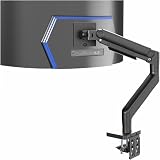
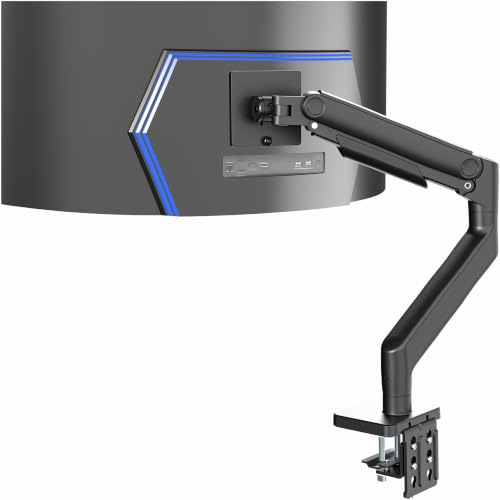 VIVO Heavy Duty Aluminum Ultrawide Monitor Tension ArmUp to 49" Screens26.6 x 5.3 x 19.7 inchesCheck on Amazon
 LG 39GS95QE Ultragear OLED Curved Gaming Monitor 39-Inch39 inches12.2 x 34.95 x 24.06 inches22.92 poundsCheck on Amazon


Top 3 picks at a glance
At a glance
The table below compares the arms this guide covers, using only the figures the makers publish or the numbers that reviewers and listings repeat. Weight limits vary between listings and by pivot type, so treat the numbers as ranges to confirm against the exact model.
| Arm | Best for | Stated specs | Limits |
|---|---|---|---|
| HUANUO TitanLift | Single 39-inch ultrawide on a budget-to-mid tier | Fits screens 17 to 49 inches; rated at 44 lb in current listings; VESA 75×75 or 100×100 mm; dual C-clamp base; clamp for desks 0.8 to 3.5 inches thick | Some listings state 40 lb instead of 44 lb; rotation is limited on larger curved panels per one listing |
| Ergotron HX Desk with HD Pivot | Curved ultrawides with a mid-depth panel | Up to 42 lb per the maker’s product page; HD Pivot spec sheet rates 28 to 42 lb for 1000R curved ultrawides 6 to 12 inches deep | Spec sheet dates from 2022-era documents; depth range matters as much as weight |
| Ergotron HX Desk with VHD Pivot | Heavier or deeper curved panels | Spec sheet lists up to 57-inch LCD size and 28.7 to 37.5 lb for 1000R displays 9.1 to 13.8 inches deep | Premium tier; aimed at very large curved panels, so often more capacity than a 39-inch needs |
| WALI Heavy Duty | Lower-cost single arm for a 39-inch panel | Rated up to 33 lb and 49-inch screens, per one roundup | Lower stated capacity than the HUANUO or Ergotron options; confirm the panel’s weight is well within limit |
Start with the panel’s weight, depth and VESA pattern
An arm has three limits that matter for a 39-inch ultrawide OLED. The first is weight: the arm’s rated capacity should exceed the monitor’s weight with the stand removed, plus a margin. The second is depth. Curved ultrawides are often deeper than flat panels, and the Ergotron specs tie the rated weight to how far the panel sits from the pivot. The third is the VESA pattern on the back of the panel, which must match the arm’s plate, typically 75×75 mm or 100×100 mm.
OLED panels vary by model, and the stated weight of a 39-inch unit can differ noticeably from one generation to another. The maker of the specific monitor is the most reliable source for the weight without a stand and the VESA pattern. Those figures should be compared with the arm’s rating before purchase, and a margin below the rated limit is sensible because the arm’s pivot and tilt add load over time.
HUANUO TitanLift: the most-named option for ultrawides
The HUANUO TitanLift is the arm that appears most often in roundups and retailer listings for 39-inch and larger ultrawides. Its listings state support for screens from 17 to 49 inches, a capacity of 44 lb in current titles, VESA 75×75 or 100×100 mm, and a dual C-clamp base that adds stability compared with single-clamp designs. The clamp fits desks 0.8 to 3.5 inches thick, and the arm reaches about 24.8 inches with height adjustment up to 19.6 inches.
Not every source agrees on the load limit. Some listings and one review site state 40 lb, while the newer titles state 44 lb, so buyers should confirm which figure appears on the packaging of the unit they are buying. A Gadgeteer review and a 2026 review from PC Tech Kits discuss the arm’s build and adjustment range. Tilt is listed at plus 50 to minus 50 degrees with 180 degrees of swivel and 360 degrees of rotation, but one listing notes that rotation is limited for curved screens up to 34 inches, so a 39-inch panel may not rotate fully.
The TitanLift suits a home office or gaming desk with a single ultrawide, where a budget-to-mid price tier and a wide adjustment range matter more than premium finish. It is less suited to desks that are thin or unstable, because the clamp requires a stable edge.
Ergotron HX: the premium option with published curved-display ratings
Ergotron’s HX line is the premium option in this comparison. The maker’s product page for its HX desk arm states support for monitors up to 42 lb (19.1 kg). The HD Pivot spec sheet rates 28 to 42 lb for 1000R curved ultrawides that are 6 to 12 inches deep, which is the range most relevant to a 39-inch curved OLED. The VHD Pivot version is a heavier-duty variant with a rated range of 28.7 to 37.5 lb for 1000R displays 9.1 to 13.8 inches deep and a stated LCD size up to 57 inches.
Ergotron’s spec sheets are older 2022-era documents, and some product pages carry older dates. Buyers should check the current capacity and depth range on the maker’s site for the exact model, because the pivot and display depth limits change how much weight the arm holds. The maker also lists a 10-year warranty on the HX wall arm with the VHD Pivot, which is worth comparing if the arm will stay in one place for years.
The HX suits a buyer who wants a higher published rating, a more solid pivot and a brand with a long track record in office mounting. Its cost is higher than the TitanLift, and the extra capacity is only useful if the panel is heavy or deep enough to need it.
WALI Heavy Duty: lower-cost capacity
One roundup lists the WALI Heavy Duty arm as rated up to 33 lb and suitable for 49-inch screens. That capacity is lower than the HUANUO or Ergotron figures, but it is still above the stated weight of many 39-inch panels. The arm is a reasonable choice when the monitor is well within the rated limit and the buyer wants a lower-cost option with heavy-duty construction.
Budget arms need the most careful weight check. A 33 lb rating leaves less margin than 44 lb for a heavy OLED with a curved panel, so confirm the panel weight and the mounting depth against the arm’s rating before buying.
Single, dual and desk-clamp notes
A single arm is the usual choice for a 39-inch ultrawide, and most of the arms above are designed for one screen. Dual arms exist for buyers who pair the ultrawide with a second monitor, but their per-monitor capacity is often lower than a single arm’s rating. The HX dual arm spec sheet rates 20 to 42 lb per monitor, with a display depth of 6 inches or more reducing the weight limit.
A desk clamp needs a stable edge of the desk, and the TitanLift’s clamp range of 0.8 to 3.5 inches is a useful check before buying. Grommet-mounted bases are an alternative where the desk has a suitable hole, and they suit thicker desktops. A wall mount removes the desk load entirely but needs a stud or a rated anchor, so it is a separate installation decision.
Pick an arm if
| If your setup looks like this | Pick | Reason |
|---|---|---|
| Single 39-inch ultrawide on a desk with a stable edge and budget-to-mid spending | HUANUO TitanLift | Listed for screens up to 49 inches, 44 lb in current listings, dual C-clamp |
| Curved ultrawide with mid-depth panel and a preference for a premium brand | Ergotron HX Desk with HD Pivot | Rated 28 to 42 lb for 1000R panels 6 to 12 inches deep |
| Deeper or heavier curved panel, or a very large screen planned later | Ergotron HX Desk with VHD Pivot | Rated 28.7 to 37.5 lb for 1000R panels 9.1 to 13.8 inches deep |
| Lower-cost single arm, panel well under the rated limit | WALI Heavy Duty | Rated up to 33 lb for screens up to 49 inches per one roundup |
| Ultrawide plus a second monitor on the same arm system | A dual HX arm | Rated 20 to 42 lb per monitor, depth-dependent |
Alternatives to consider
- Ergotron HX Desk arm (standard): the single-pivot version of the HX line, with the maker’s stated 42 lb limit for a mid-range curved display.
- WALI Heavy Duty: a lower-cost single arm for panels that sit comfortably under 33 lb.
- A wall-mounted HX arm with a VHD Pivot: a fixed installation for a permanent setup, with the maker’s 10-year warranty listed on that model.
Frequently Asked Questions
Will a standard arm hold a 39-inch ultrawide OLED?
It depends on the panel’s weight without the stand and the arm’s rated limit. Many 39-inch ultrawides fall within the 40 to 44 lb range of the heavier arms, but the monitor’s own spec sheet is the reliable source for weight. Keep a margin below the rated limit so the pivot and tilt have room to work.
Why do some listings say 40 lb and others say 44 lb for the same arm?
Retailer listings and review sites sometimes repeat older figures, and some listings describe a related variant with a different plate or base. The current TitanLift titles state 44 lb, while several review sites still cite 40 lb. The figure printed on the packaging of the unit being bought is the one to rely on.
Does the VESA pattern on my monitor matter?
Yes. The arm plate has to match the monitor’s VESA pattern, which is commonly 75×75 mm or 100×100 mm. The TitanLift lists both patterns, while the Ergotron spec sheets cited here do not list a VESA pattern in the summaries reviewed, so the monitor’s own pattern should be matched. The monitor’s manual or spec page lists the pattern on the back of the panel.
Is depth more important than weight for a curved ultrawide?
For curved panels, depth matters as much as weight. The Ergotron spec sheets tie their rated weight to a display depth range, so a deeper panel can reduce the rated limit. Measure the panel’s depth at its deepest point and compare it with the arm’s stated range.
Can I rotate a 39-inch ultrawide into portrait on the TitanLift?
Probably not fully. One listing notes that rotation on the TitanLift is limited for curved screens up to 34 inches, so a 39-inch panel may not rotate all the way. Portrait rotation is rarely needed for an ultrawide, so this limit matters mainly for mixed-use setups.
Is a wall mount better than a desk clamp?
A wall mount removes the load from the desk and suits a permanent setup, but it needs a stud or a rated anchor and some installation work. A desk clamp is easier to fit and move, but it needs a stable edge of the right thickness. The TitanLift clamp range of 0.8 to 3.5 inches is the figure to measure against your desk.