A clicking PSU that dies mid-game is one of those symptoms that sounds alarming but usually points to a specific, diagnosable cause. Here’s what it typically looks like: you launch a demanding title, the GPU ramps up, and within seconds to a few minutes you hear one or more audible clicks from the power supply — followed by an instant, clean shutdown, as if someone yanked the power cord. The system doesn’t blue-screen; it just goes dark. Often it will boot back up fine on the desktop and idle without issue, which is exactly what makes this symptom deceptive: low-load tasks like browsing or watching video draw 100–150W from the wall, while a modern gaming GPU under load can transiently spike well beyond what a tired, misconfigured, or undersized PSU can deliver.
How urgent is it? Moderately. You’re not going to destroy your hardware in one afternoon in most cases, but repeated hard power cuts under load are stressful on drives, can corrupt game files and Windows itself, and — if the clicking is coming from a failing relay or fan bearing — the PSU itself may be on its last legs. Treat it as a fix-this-week problem, not a fix-this-minute one, but stop long gaming sessions until you’ve worked through the steps below. Work through the fixes in order; the first several cost nothing and rule out the most common culprits.
As an Amazon Associate we earn from qualifying purchases at no extra cost to you.


Our Top Picks
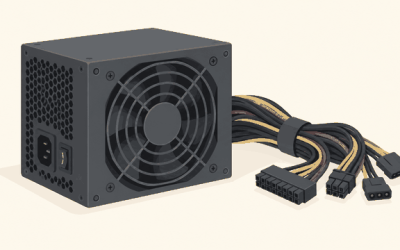
 CORSAIR RM750e ATX 3.1 PCIe 5.1 Ready 750W750 watts5.91 x 5.51 x 3.35 inches3.3 poundsCheck on Amazon

Likely Causes
| Cause | How to confirm | Fix difficulty |
|---|---|---|
| Multi-rail PSU OCP tripping on GPU transients | Click comes from the PSU the instant load spikes; PSU label or manual shows two or more +12V rails; shutdown is instant, not gradual | Easy |
| Loose or partially seated power connectors | Reseating the 24-pin, CPU 8-pin, and PCIe 12VHPWR/8-pin cables makes the problem stop or change behavior | Easy |
| Undervolted/badly overclocked GPU causing retry spikes | Problem started after tuning; reverting GPU clocks to stock changes the timing of the shutdown | Easy |
| Single-rail breaker or “Over Current Protection” set too sensitive in firmware | Only happens with one specific high-transient GPU model on an older or group-regulated unit | Medium |
| Tripping the wall-circuit breaker or surge protector | Other devices on the same outlet strip lose power at the same moment; breaker in the panel is partially tripped | Easy |
| Genuinely failing or undersized PSU | Unit is 6+ years old, rated below your system’s peak draw, or a swap/test eliminates the shutdown entirely | Hard (replacement) |
Fix 1: Reseat Every Power Cable
What causes it
PCIe and 12VHPWR connectors carry enormous current on small contacts. A cable that’s backed out even 2–3 mm, or a modular cable seated at an angle in the PSU side, creates resistance and voltage sag exactly when load spikes — which the PSU’s protection circuit can interpret as a fault, clicking its relay off.
How to check
Shut down, flip the PSU rocker switch off, and unplug the cord. Press the power button for 10 seconds to drain residual charge. Then inspect every connector: the 24-pin ATX, both CPU 8-pin plugs (many boards have two), each PCIe 8-pin, and the 12VHPWR/12V-2×6 if you have a modern NVIDIA card. Look for cables not fully clicked home and for melted or discolored plastic around pins.
What to do
Unplug and firmly replug each connector until you hear or feel it click. For 12VHPWR, push straight in until it bottoms out — partial insertion is a documented cause of failures. If you use a modular PSU, also reseat the cable ends at the PSU itself, and confirm you’re using only the cables that shipped with that exact PSU model, not another brand’s.
How to undo it
Nothing to undo — reseating cables is always safe. If you moved anything, just route it back the way it was.
Fix 2: Test a Different Wall Outlet and Bypass the Power Strip
What causes it
A worn outlet, an overloaded surge protector, or a shared circuit already near its amperage limit can cause the strip’s breaker or the wall breaker to trip when your PC’s draw spikes. The “click” may actually be the strip, not the PSU.
How to check
Plug the PC directly into a wall outlet on a different circuit — ideally one that doesn’t share kitchen or laundry appliances. Run your game. If the shutdown pattern changes or disappears, your power delivery, not the PSU, was the problem. Also check your home’s breaker panel for a breaker sitting in a middle position.
What to do
Run the PC directly from the wall permanently, or replace the strip with a UL-listed surge protector rated at least 15A/1800W. If a wall breaker trips repeatedly, have an electrician look at that circuit — a gaming PC with a 300W+ GPU shouldn’t trip a healthy 15A or 20A circuit by itself.
How to undo it
Reconnect the strip if you confirm the outlet wasn’t the issue.
Fix 3: Undo GPU Overclocks and Undervolts
What causes it
An aggressive overclock or a too-tight undervolt can cause the GPU to crash or spike current draw erratically. Some crashes manifest as momentary power spikes rather than driver resets, tripping PSU protection.
How to check
Open MSI Afterburner and look at the Core Clock, Memory Clock, and Power Limit sliders. Any value above or below default — a core offset of +100 MHz or more, a power limit raised to 110%, or an undervolt curve set below stock voltage at stock clocks — is suspect. Also check if the problem began right after tuning.
What to do
In Afterburner, click the reset button (circular arrow) to restore defaults, then open NVIDIA App (System > Graphics or the GPU tuning panel) or AMD Adrenalin (Performance > Tuning) and click “Reset” or “Default” there too. Reboot and game for at least an hour. If shutdowns stop, re-apply tuning in smaller steps, testing between each.
How to undo it
If stock settings didn’t help, restore your saved Afterburner profile or Adrenalin tuning profile exactly as it was.
Fix 4: Cap Frame Rate and Enable a Power Limit to Soften Transients
What causes it
Modern GPUs draw brief millisecond-scale current spikes (“transients”) that can be several times their rated board power, especially at uncapped frame rates or during instant scene changes. Older or group-regulated PSUs struggle with these spikes and trip OCP — the click you hear is the protection relay.
How to check
If shutdowns happen most often at loading screens, menu-to-game transitions, or moment-to-moment spikes in framerate, transients are a likely trigger. Cap the frame rate and see if the pattern changes.
What to do
Enable V-Sync, G-Sync with a framerate cap, or a driver-level cap: in NVIDIA App, set Max Frame Rate under Graphics settings globally to a value like 120 or your monitor’s refresh rate; in AMD Adrenalin, use Radeon Chill or FRTC. Additionally, lower the GPU Power Limit slider in Afterburner to 90–95%. This trims transient peaks with a minor performance cost.
How to undo it
Return the Power Limit slider to 100% and remove the frame rate cap in the same menus.
Fix 5: Load-Test the PSU with Software Monitoring
What causes it
PSU capacitors age. A unit that once handled 500W comfortably may now sag under 400W after years of heat stress. Software can’t read PSU rails directly on most consumer boards, but you can infer trouble from correlated symptoms.
How to check
Install HWiNFO64, run it in Sensors-only mode, and watch the +12V, +5V, and +3.3V readings reported by your motherboard’s Super I/O chip while running a demanding game or a stress test. Voltage readings below roughly 11.4V on the 12V rail (more than ~5% off) suggest a struggling PSU. Combine this with the timing: if shutdowns correlate with high total system draw rather than GPU load alone, the PSU is the prime suspect. Note that motherboard sensors are approximate — treat anything under ~11.2V as a strong warning sign.
What to do
If readings sag badly and shutdowns match heavy combined CPU+GPU load, plan a replacement. Size it generously: for a modern high-end GPU, an 850W ATX 3.0/3.1 unit with native 12V-2×6 support from a reputable brand gives comfortable transient headroom.
How to undo it
Close HWiNFO64; no settings were changed.
Fix 6: Swap in a Known-Good PSU (Borrow or Bench-Test)
What causes it
Internal PSU faults — a dying relay, degraded primary capacitors, or a falsely-tripping OCP circuit — can’t be fixed in software. A swap test is the only definitive way to confirm the unit itself is bad.
How to check
Borrow a PSU of equal or higher wattage from a friend or spare build. Install it, connect all required cables (24-pin, both CPU 8-pin if applicable, all PCIe/12V-2×6), and run the same games that triggered shutdowns. If the problem vanishes entirely across several sessions, your original PSU is confirmed faulty.
What to do
If the swap test confirms it, replace the unit rather than opening it — PSU capacitors hold lethal charge even when unplugged, and internal repair voids safety certifications. Choose an 80 Plus Gold or better unit sized 150–200W above your expected peak system draw.
How to undo it
Reinstall the original PSU if the test shows it’s healthy and the problem lies elsewhere — recheck cable seating and GPU settings at that point.
Fix 7: Check for Firmware and BIOS Updates
What causes it
Some motherboards and GPUs have had firmware issues that exaggerated power spikes or misreported load states, and a handful of PSU-adjacent behaviors (fan curve, standby behavior) are firmware-controlled.
How to check
Check your motherboard vendor’s support page for your exact model and compare the latest BIOS version against what’s shown in the BIOS itself (usually visible on the main page — press Del at boot to enter). Check your GPU vendor’s support page for vBIOS updates, particularly for launch-year cards, which have received transient-behavior fixes via vBIOS in the past.
What to do
Flash the latest stable (non-beta) BIOS using the manufacturer’s built-in tool — most vendors offer either a Windows-based updater or a BIOS-menu utility (often under a “Tool” or “M-Flash”/”EZ Flash” tab). For GPUs, follow the vendor’s vBIOS update utility exactly and never interrupt the process.
How to undo it
Most boards allow re-flashing an older BIOS version from the same menu if the new one causes issues, but don’t downgrade unless you have a specific reason.
If Nothing Works
If you’ve reseated cables, ruled out the wall circuit, reverted GPU tuning, capped framerates, monitored voltages, and a known-good PSU still lets the system shut down with a click under load, the problem likely isn’t the PSU at all. At that point, suspect the motherboard’s power delivery (VRM overheating — check for VRM temps in HWiNFO64 if your board reports them), a failing CPU cooler mount causing thermal shutdowns that coincidentally match load spikes, or a short somewhere in the case (check for a stray standoff or a cable pinched under the motherboard tray). A systematic approach — swap the PSU, then test the system outside the case on a cardboard box (a “bench build”) — will isolate a case short in under an hour.
FAQ
Is a clicking PSU always about to die?
No. Clicking is the sound of a relay or protection circuit, and it can trip for external reasons — transient spikes, wall-power issues, or a loose connector — without the unit itself being defective. That said, repeated clicking under normal loads on an aging PSU is a strong sign the unit is failing, and replacement is cheaper than the components it could take with it.
Can a PSU shutdown damage my PC?
Instant power cuts carry real but modest risk: possible corruption of open files, game installs, or in rare cases Windows itself. Modern drives and SSDs handle sudden power loss far better than older hardware did. The bigger danger is continuing to run a genuinely failing PSU, which can eventually deliver damaging voltage.
How do I know what wattage replacement PSU I need?
Add your CPU’s rated maximum board power to your GPU’s rated total board power, add roughly 100–150W for the rest of the system, then add 20–30% headroom for transients. For most modern gaming builds with a mid-to-high-end GPU, that lands between 750W and 1000W, and an ATX 3.0 or newer unit with native 12V-2×6 output is the safest choice for current-generation cards.
Why does my PC only shut down during games and not idle?
Idle draw is a fraction of gaming draw. A PSU on the edge of its stable output, a marginal wall circuit, or a transient-sensitive protection circuit only gets pushed past its limit when the GPU jumps from 20W to 300W-plus in milliseconds. That’s why the symptom appears exclusively under load — and why fixes that smooth out those spikes, like frame caps and power limits, often work as a stopgap.