
Wi-Fi 6 and Wi-Fi 6E use the same 802.11ax standard, and the only real difference is that 6E can also use the 6 GHz band. If your router and your PC both support 6E, you get access to extra clean spectrum with room for wide channels. If either one does not, 6E brings no benefit, and your connection falls back to the 2.4 and 5 GHz bands that Wi-Fi 6 already uses.
As an Amazon Associate we earn from qualifying purchases at no extra cost to you.


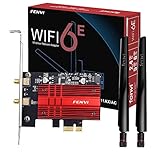
Our Top Picks
Top 3 picks at a glance
The Core Difference Explained
Wi-Fi 6 operates on 2.4 GHz and 5 GHz. Wi-Fi 6E adds the 6 GHz band to those two, which is where the E, for extended, comes from. Both support channel widths of 20, 40, 80, and 160 MHz, so the maximum channel width, and therefore the theoretical top speed, is the same. Router makers such as ASUS and TP-Link describe the difference in exactly these terms on their support pages.
The advantage lies in how much room the new band offers. In many regions, 6 GHz allows 14 channels of 80 MHz or 7 channels of 160 MHz, while the 5 GHz band has only two 160 MHz channels and shares them with older devices. Regional rules vary. The United Kingdom, for example, opened a smaller portion of the band, which reduces the channel counts there. Check your local regulation or router specification for your country.
Another point is that 6 GHz does not require dynamic frequency selection. On 5 GHz, some channels must yield to radar, such as weather or airport systems, which can interrupt a wide channel. The 6 GHz band avoids that restriction, so wide channels can be more stable.
Comparison Table
| Feature | Wi-Fi 6 | Wi-Fi 6E |
|---|---|---|
| Standard | 802.11ax | 802.11ax |
| Bands | 2.4 GHz and 5 GHz | 2.4 GHz, 5 GHz, and 6 GHz |
| Maximum channel width | 160 MHz | 160 MHz |
| Clean 160 MHz channels | Limited, shared with legacy devices | Several, in a dedicated band (varies by region) |
| Legacy device interference | Present on 2.4 and 5 GHz | None on 6 GHz, since only 6E and newer devices join |
| Range | Better coverage on lower bands | 6 GHz has shorter range and weaker wall penetration |
| Needs both router and client support | Yes | Yes, for the 6 GHz band |
What It Means for a Gaming PC
Gamers care about latency and consistency more than peak speed. A 6 GHz connection can help in crowded environments, such as apartment buildings, because fewer neighbors and devices compete on the band. Reviewers who study wireless performance generally report the clearest gains in congested areas and at short to medium distance, and smaller gains in homes where the 5 GHz band is already quiet. Throughput limits for gaming are modest, so the practical improvement is steadier ping rather than raw download speed.
Range is the trade-off. Higher frequencies fade faster and are blocked more by walls and floors, so a PC in a far room may drop to 5 GHz even with 6E hardware. If the PC is near the router, 6 GHz is more useful.
A wired Ethernet connection still offers the most consistent latency for a desktop. If you can run a cable, that remains the first choice for competitive play. Wi-Fi 6E is the better option when cabling is not practical.
What You Need for 6E
- A 6E-capable router or access point. It must advertise a 6 GHz network. Some routers require you to enable it in settings.
- A 6E-capable adapter in your PC. Many recent motherboards include 6E or newer Wi-Fi, and add-in PCIe or USB adapters exist. Check your motherboard’s specification page.
- Driver and operating system support. Use the latest drivers from the adapter maker. Windows 11 supports 6 GHz on compatible adapters, while support on Windows 10 depends on the driver and region.
- WPA3 security. The 6 GHz band requires WPA3, so older devices that only know WPA2 cannot join it.
Who Should Pick Which
- Stay with Wi-Fi 6: You have a quiet 5 GHz band, a router that works well, and devices that lack 6 GHz. Spending on an upgrade will not change much.
- Choose Wi-Fi 6E: You live in a congested area, your PC sits close to the router, and your adapter already supports 6E.
- Consider newer standards: Wi-Fi 7 routers and adapters are now available and add 6 GHz plus newer features such as wider 320 MHz channels in supported regions. If you are buying new, comparing Wi-Fi 7 options is reasonable, though Wi-Fi 6E remains a solid choice.
- Budget builders: Wi-Fi 6 is perfectly adequate for gaming, and a wired connection often beats either.
Common Myths
- “6E is faster than 6 by default.” The standard and maximum channel width are identical. The gain comes from less congestion.
- “6E has a longer range.” It does not. The 6 GHz band covers a shorter distance.
- “A 6E router speeds up all my devices.” Only devices with 6E radios can use the new band.
- “6E is Wi-Fi 7.” They are different generations.
- “Wi-Fi alone matches Ethernet.” Wired links still have an edge in latency consistency.
Practical Recommendation
Look at your own setup before buying. If your PC already has a 6E adapter, enabling 6 GHz on a compatible router costs nothing and may smooth out gameplay. If you need to buy hardware, compare the adapter and router specifications for matching band support and consider Wi-Fi 7 if budget allows. Place the router so the PC has a clear line of sight where possible, and keep firmware up to date. If connection problems persist, contact the router maker or your internet provider instead of changing channel settings blindly.
Setting Up 6 GHz Step by Step
- Open the router’s admin page and look for the 6 GHz wireless settings. The menu name varies by maker, so consult the router manual.
- Enable the 6 GHz band and choose WPA3 security, since the band requires it.
- Give the 6 GHz network a distinct name so you can choose it deliberately from the PC.
- Update the PC’s wireless adapter driver from the adapter or motherboard maker.
- Connect to the 6 GHz network and check the connection properties in Windows to confirm the band and link speed.
If the link speed or ping looks worse than on 5 GHz, move the PC closer to the router or switch back to 5 GHz. Router settings changes can affect other devices at home, so note the original values before editing, and contact the router maker or your internet provider if something stops working.
Frequently Asked Questions
Is Wi-Fi 6E worth it for gaming?
It can be, mainly in crowded areas and at short distance from the router. The benefit is more stable latency from a cleaner band, not a higher top speed. If your current connection is already stable, the gain may be small.
Can a Wi-Fi 6 PC connect to a 6E router?
Yes. The router still offers 2.4 and 5 GHz networks, and a Wi-Fi 6 device joins those normally. It simply cannot use the 6 GHz network.
Do I need Windows 11 for Wi-Fi 6E?
Windows 11 has native support for 6 GHz with compatible adapters and drivers. Support on Windows 10 depends on the adapter maker’s driver, so check its documentation.
Why can my PC not see the 6 GHz network?
Common causes include an adapter without 6E support, an outdated driver, a router that has the 6 GHz band turned off, a region setting that blocks it, or a network configured without WPA3. Check each in turn using the device manuals.
Should I wait for Wi-Fi 7 instead?
If you are buying now and the extra cost fits, Wi-Fi 7 gives more future headroom. Wi-Fi 6E remains perfectly usable, and the real-world difference for gaming traffic is modest.


